The short answer
Latency is the time it takes for data to travel from one point to another. In everyday networking, it usually means the delay between your device sending data and receiving a response. Lower latency makes an interaction feel more immediate; high latency can make a call, game, remote desktop session, or website feel slow even when a speed test reports plenty of bandwidth.
Latency is measured in milliseconds (ms). It is not the same thing as download speed, and it is not automatically a sign that a connection is faulty. Distance, network technology, congestion, and the application itself all contribute to delay.
Latency, bandwidth, throughput, and jitter
These terms describe different parts of connection quality:
- Latency is delay. A 30 ms round trip means a request and reply took roughly 30 milliseconds in total.
- Bandwidth is the maximum capacity of a link, often advertised in megabits per second. It is like the width of a pipe, not the time a drop takes to cross it.
- Throughput is the amount of data actually transferred over time. It can be lower than available bandwidth because of congestion, Wi-Fi conditions, protocol overhead, or the server.
- Jitter is variation in delay. A stream with a steady 40 ms delay is often easier for real-time software to handle than one that jumps between 15 and 180 ms.
- Packet loss means some packets do not arrive. Loss can add delay when a protocol retransmits data, or cause glitches when an application decides that old data is no longer useful.
A connection can have high bandwidth and poor latency at the same time. For example, a busy household might download large files quickly while uploads, video calls, and games become delayed because the connection is queued. See What Causes Packet Loss? for the related reliability problem.
Round-trip time is not always one-way delay
Most consumer tools report round-trip time (RTT): a packet goes from your device to a destination and a reply comes back. The familiar ping command measures an ICMP round trip, not every part of an application's experience.
One-way delay is useful for voice and broadcast systems, but it is harder to measure accurately because both endpoints need synchronized clocks. RTT is convenient, yet it can hide an uneven path: the forward trip and return trip may use different routes or have different congestion.
An application also has delays outside the network. A web page may wait on DNS, a server database, TLS setup, or browser rendering. Streaming "glass-to-glass" delay includes encoding, buffering, distribution services, and decoding. This is why a single ping result cannot prove that a particular app is the problem.
Where network delay comes from
Network latency is the combined result of several delays:
- Propagation delay is the time signals take to travel over fiber, copper, radio, or satellite. Long physical routes cannot be made instantaneous.
- Serialization delay is the time needed to put bits onto a link. It matters more on slower links and for larger packets.
- Processing delay comes from equipment examining, routing, encrypting, or otherwise handling traffic.
- Queueing delay occurs when a device has more traffic to send than a link can carry immediately. This is often the largest and most variable part of a home connection under load.
Every router is not necessarily a problem. A longer route may still perform well if its links are uncongested. Conversely, a nearby server can feel slow when a Wi-Fi link is weak or an overloaded network device builds a queue.
Why latency rises under load
When uploads or downloads fill a connection, packets wait in buffers. Excessively large unmanaged queues can create bufferbloat: latency rises sharply while the link is busy. It can make a 20 ms idle connection feel hundreds of milliseconds slower during a backup, cloud sync, or large upload.
Test both idle and loaded latency. A low idle ping is useful, but it does not describe how the connection behaves while it is doing the work you normally do. If loaded latency is much worse, reduce competing traffic, use router quality-of-service features carefully, or investigate the access link rather than changing an application at random.
How to measure it sensibly
Measure several destinations and repeat at different times. Use a nearby stable target as well as the service you actually use. Compare wired Ethernet with Wi-Fi, and compare the normal connection with a different network when possible.
Ping can show reachability and RTT, but some networks deprioritize or rate-limit ICMP. Browser developer tools, game telemetry, call statistics, and application logs may be more representative. A traceroute can suggest where paths change, but it cannot reliably identify a congested hop: routers may reply slowly to diagnostic traffic while forwarding normal traffic well.
Look for patterns rather than a single number. Consistent high latency can point to distance or the access technology. Sudden spikes may point to Wi-Fi interference, queueing, overloaded hardware, or a busy provider path. A loss or MTU issue can produce similar symptoms, so avoid treating latency as the only diagnosis.
Do VPNs add latency?
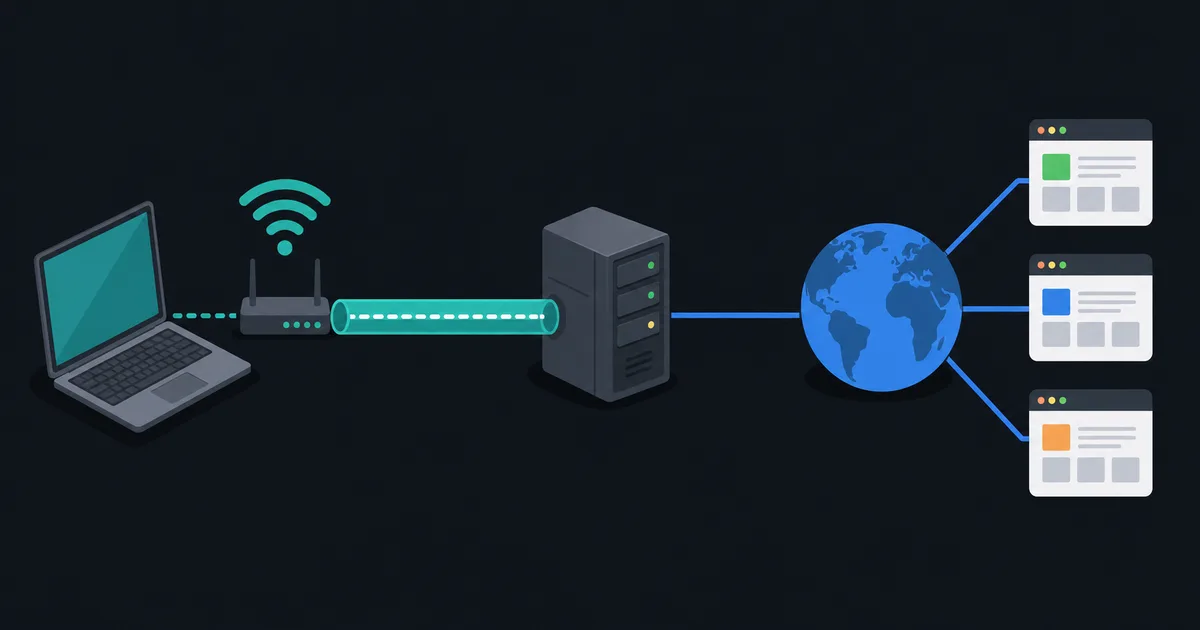
A VPN normally adds at least some delay because traffic must reach the VPN server before it travels onward, and encryption and encapsulation require processing. The practical cost depends on the VPN server location, route quality, protocol, and current load. A nearby well-connected server may add little; a distant server can add a noticeable extra round trip.
A VPN can occasionally improve a poor route to one destination, but it is not a general latency optimizer. It changes the path and moves trust to the VPN provider; it does not remove the speed-of-light limit or fix a saturated home upload. Read What Is a VPN and How Does It Actually Work? for the full traffic path and TCP vs UDP Explained Simply for transport tradeoffs.
The amount of latency that matters depends on the task
There is no universal "good" latency number. A file transfer can tolerate delay when it has enough throughput and reliable delivery. A person typing in a remote terminal notices delay quickly because every action waits for a response. Games, voice calls, and interactive remote desktops are also sensitive to jitter: a short but wildly variable delay can be worse than a slightly higher steady delay.
For services hosted far away, physics sets a lower bound. The useful question is whether latency is stable and appropriate for the application, not whether it matches another person's result to a different server. Compare like with like: same destination, similar time of day, and similar connection load.
Treat a latency test as a measurement, not a score.
The takeaway
Latency is the delay in a connection, while bandwidth and throughput describe capacity and transfer rate. Measure latency under realistic load, pay attention to jitter and loss, and test more than one destination before changing settings. The best fix depends on whether the delay comes from distance, Wi-Fi, queueing, a server, or the route between them.