The short answer
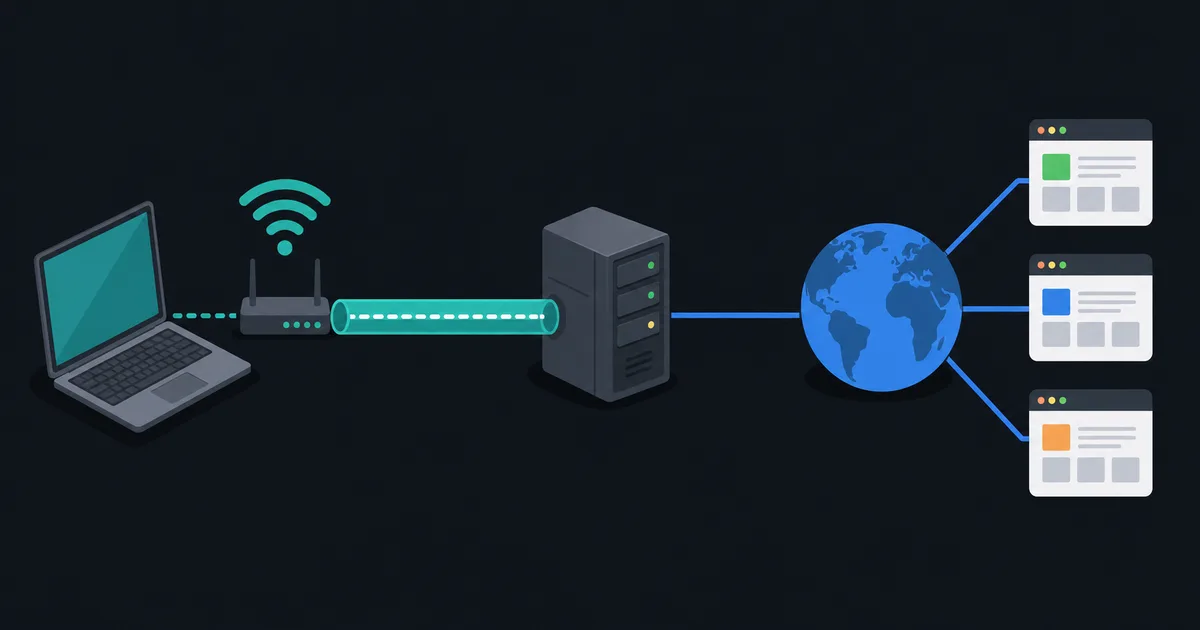
A virtual private network, or VPN, creates an encrypted connection between your device and a VPN server. That connection is often called a tunnel. Instead of sending selected traffic directly from your device to a website through your usual network path, your device sends it through the encrypted tunnel first. The VPN server then connects to the destination on your behalf.
As a result, the local network and your internet provider see a connection between your device and the VPN server rather than the final websites inside the tunnel. The destination website normally sees the VPN server's public IP address instead of the public IP address of your home, office, or mobile connection.
That is useful, but it is not magic. A VPN changes part of the network path and who can observe parts of it. It does not make someone anonymous, remove all tracking, prevent malware, or replace HTTPS and good account security.
What happens when you connect without a VPN?
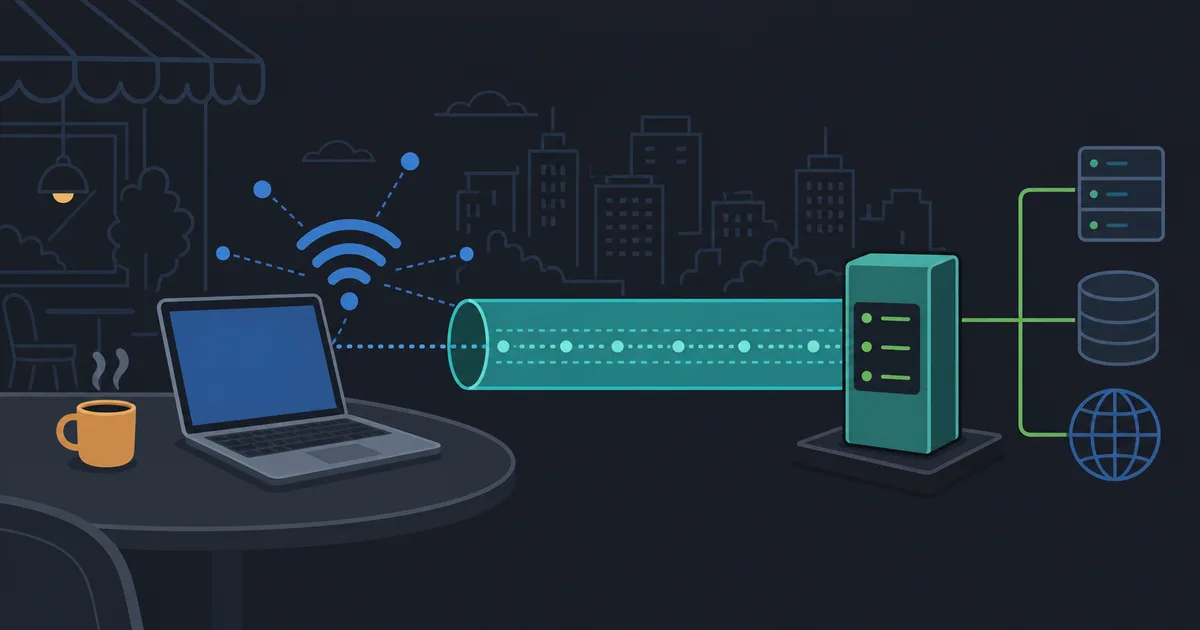
Without a VPN, your device connects to a website through the network you are using. At home, that often means your Wi-Fi router, then your internet provider. On public Wi-Fi, the first network is controlled by a hotel, cafe, airport, or another organization.
When the website uses HTTPS, the content of the connection is encrypted between your browser and the website. That is important: a VPN is not a substitute for HTTPS. Even with HTTPS, however, the local network and provider can still observe useful connection metadata such as the IP addresses involved, timing, and traffic volume. DNS behavior can reveal additional information if it is not protected by the chosen configuration.
Your device generally uses a private IP address inside the local network. The router or provider translates that traffic to a public address as it reaches the internet. A website sees that public address, not usually the private address assigned to your laptop or phone.
What changes when a VPN is connected?
After you connect to a VPN, the client software on your device authenticates to a VPN server and negotiates cryptographic keys. It then encapsulates and encrypts traffic that the VPN configuration says should use the tunnel.
The outer connection travels from your device to the VPN server. On an untrusted Wi-Fi network, observers can see that a VPN connection exists, but they should not be able to read the protected traffic inside it. At the VPN server, traffic is removed from the tunnel and forwarded toward its final destination.
The final website still receives a normal connection. If the site uses HTTPS, the content remains encrypted between your browser or app and that website. The VPN server is a network intermediary, not an automatic end-to-end encryption replacement for every application layer.
A simple connection path
It helps to separate the path into steps:
- Your device encrypts VPN-protected traffic and sends it to the VPN server.
- The local network and ISP carry the encrypted tunnel to that server.
- The VPN server decrypts the tunnel traffic and makes the onward connection.
- The website replies to the VPN server, which places the reply back into the encrypted tunnel for your device.
For a website, the apparent source address is usually the VPN server's public address. For your ISP, the visible destination is usually the VPN server. The VPN provider can operate the point in the middle, so choosing a provider with clear technical and privacy practices matters.
What a VPN can help protect
A VPN can reduce the amount that a local network operator or ISP can learn about the destinations of traffic that is correctly routed through the tunnel. This is especially useful on networks you do not control, such as public Wi-Fi, and for people who prefer their normal provider not to see every destination they contact.
It can also make your connection appear to originate from the VPN server's network location. That can be useful for privacy, remote access, or reaching resources that expect a connection from a known network. The benefit depends on the provider, protocol, routing mode, and the service you are connecting to.
For technical users, a VPN can provide secure access to a private network without exposing every internal service directly to the public internet. This is called remote-access VPN use and is different from using a commercial VPN service as an internet egress point, although the underlying tunnel idea is related.
What a VPN does not protect
A VPN does not make an unsafe website safe, clean malware from a device, or protect an account with a weak password. It does not stop a website from recognizing a signed-in account, browser fingerprint, cookie, or other application-level identifier.
It also does not hide activity from the VPN provider in the same way it hides it from the local network. The provider may be able to observe connection metadata and, for destinations that do not use their own encryption, content. Read a provider's policies and technical documentation, and prefer services that make specific, testable claims instead of promising total invisibility.
If a VPN client is configured for split tunneling, only selected traffic goes through the VPN. Other connections continue to use the normal network path. This can be useful for performance or local-device access, but it should be a conscious choice rather than a surprise.
DNS and IPv6 matter too
Traffic protection is not only about web pages. DNS translates names such as example.com into IP addresses. A VPN client should handle DNS in a way that matches the selected privacy mode; otherwise, name lookups may leave through a different path from the rest of the traffic.
IPv6 needs the same attention. If a device has IPv6 connectivity but a VPN only routes IPv4 traffic, some connections could bypass the intended tunnel. Good VPN software and configuration account for both IP versions. Our guide to IPv4 vs IPv6 explains why devices often have both.
These details are why it is better to ask "which traffic does this VPN route?" than to assume every VPN behaves identically.
Which protocols do VPNs use?
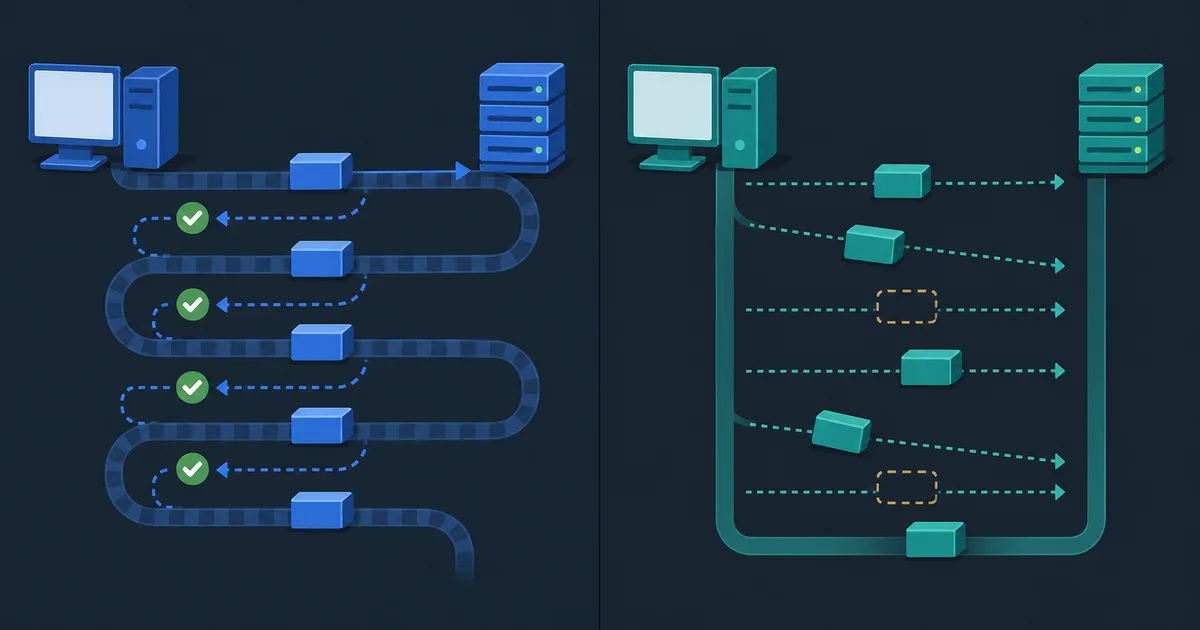
VPNs use different protocols to create the encrypted tunnel. WireGuard is designed around UDP. OpenVPN can use UDP or TCP. IPsec is another family of VPN technologies widely used for both remote access and site-to-site networking.
The use of TCP or UDP does not decide a VPN's trustworthiness on its own. TCP and UDP make different reliability and timing tradeoffs, while the VPN protocol handles encryption, authentication, and tunnel behavior. In many ordinary networks, UDP is a natural fit for VPN traffic. Restricted networks sometimes lead people to use TCP-based options, with tradeoffs in performance and behavior under loss.
NAT does not prevent VPN use
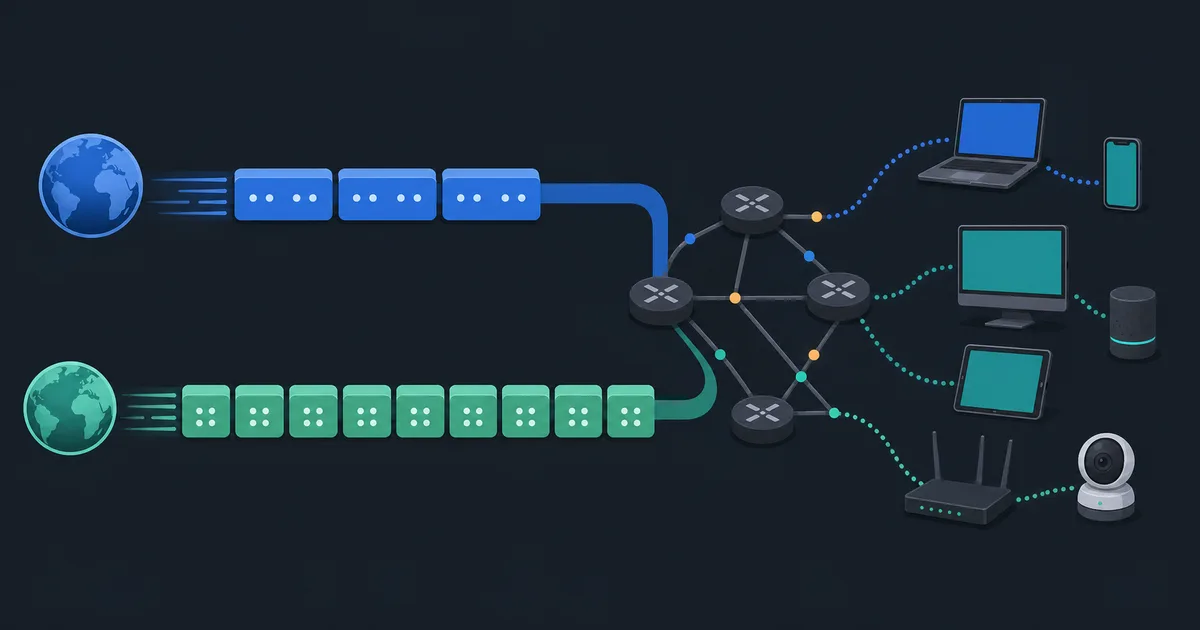
Most devices sit behind NAT at home, work, or on mobile networks. VPN clients usually make outbound connections, which NAT handles well. Hosting a VPN server is different: it may require a public address, port forwarding, or an arrangement that works through carrier-grade NAT.
This is one reason VPN setup guidance differs between "connect this device to a VPN provider" and "run a VPN server at home." They solve different problems and face different network constraints.
Choosing a VPN with clear expectations
Choose a provider based on transparent policies, supported protocols, secure client software, useful DNS and IPv6 behavior, and an honest explanation of its limitations. Consider where the service operates, what account information it needs, and what its documentation says about logs and diagnostics.
LibreGuard focuses on straightforward encrypted access, modern protocols, and public client repositories so users can understand the software and service they are choosing. That is only one part of a sensible privacy posture: keep devices updated, use HTTPS services, protect accounts, and be deliberate about what information you share online.
The takeaway
A VPN encrypts traffic from your device to a VPN server and changes the outward network path for the traffic routed through it. It can be a valuable privacy and security tool, especially on networks you do not control, but it has clear boundaries. The right way to evaluate one is to understand its routing, DNS, IPv6, protocol, and provider practices rather than expecting it to solve every online risk.