The short answer
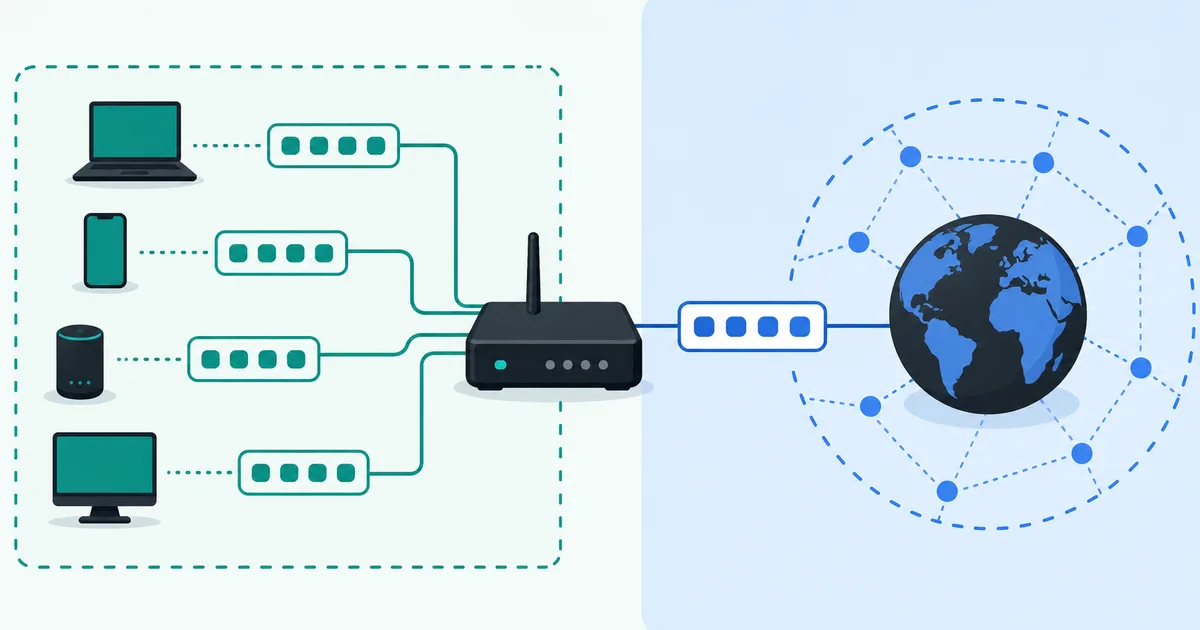
NAT, short for network address translation, changes address information as traffic passes through a network boundary. In a typical home network, the router translates private addresses used by your devices into the public address used to reach the internet.
This is why a laptop at 192.168.1.20 can browse the web even though that address is not globally routable. The router translates the connection as it leaves and keeps enough state to translate replies back to the right device.
Why NAT became common
IPv4 addresses are limited in number. Instead of assigning a separate public IPv4 address to every phone, laptop, TV, and smart device in a home, a router can let those devices use private IP addresses internally and share one public address externally.
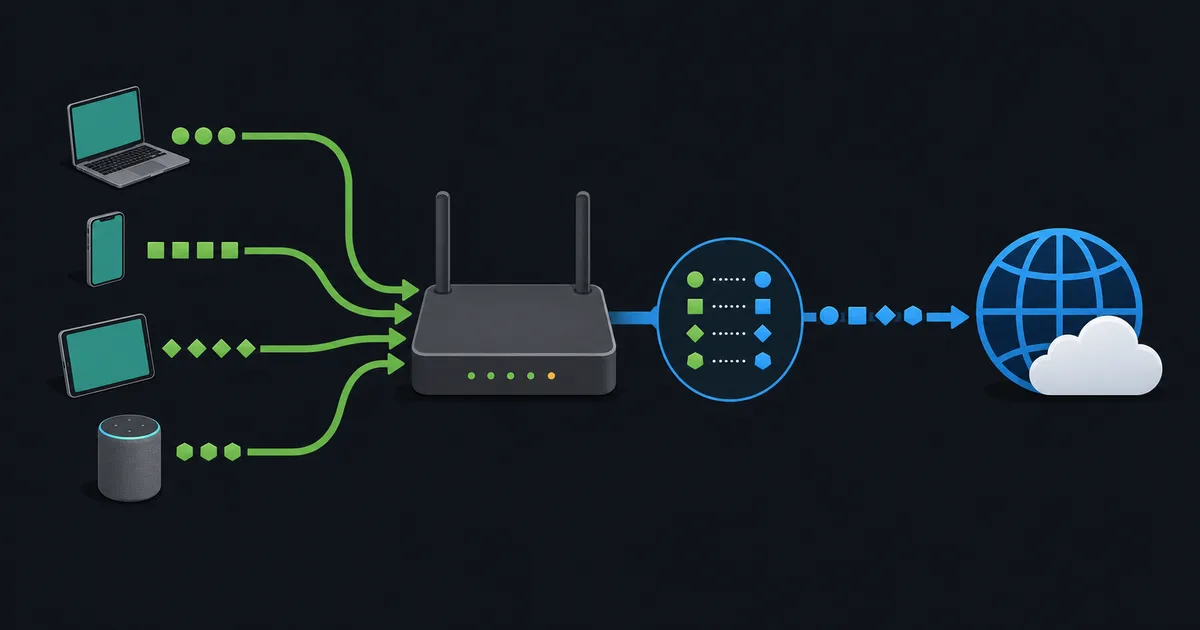
The version most people meet at home also translates ports. It may be called NAPT, PAT, or simply NAT in router settings. The names differ slightly, but the practical idea is familiar: multiple internal connections can share a single public IPv4 address because the router tracks more than just the address.
NAT is also used in businesses, cloud networks, and by providers. The scale and policy may change, but the core job remains translation at a boundary.
A simple home-network example
Suppose two devices on your Wi-Fi open websites at the same time:
- Laptop:
192.168.1.20using a temporary source port - Phone:
192.168.1.35using another temporary source port
Both connections leave through the router's one public IPv4 address. The router creates entries in a translation table. Each entry connects an internal address and port with a public address and port. When website replies return, the table tells the router which local device should receive each reply.
That table is temporary. It exists for as long as the connection needs it, then eventually expires. This is the useful detail behind the loose phrase "many devices share one public IP."
NAT changes addresses; it is not a firewall
NAT is often described as a security feature because unsolicited inbound traffic usually does not have a matching entry in the router's translation table. That effect can reduce accidental exposure, but it does not turn NAT into a firewall.
A firewall applies rules about what traffic is allowed. It can block or permit traffic based on addresses, ports, protocols, connection state, applications, and other policy. NAT changes addressing information. Modern home routers commonly do both jobs, which is why the distinction is easy to blur.
Do not rely on NAT alone as a security boundary. Keep device software updated, use firewall rules, avoid exposing services you do not need, and protect accounts with strong authentication. NAT does not stop malware already running on a device from making an outbound connection.
Why incoming connections need extra configuration
When a connection begins from inside the home, the router can create a translation entry automatically. A new connection beginning from the internet has no such entry. The router does not know whether it should send that traffic to a PC, console, camera, or something else.
Port forwarding provides an explicit instruction. It tells the router that traffic arriving at a chosen public port should be sent to a specific internal address and port. This can be useful for a deliberately hosted service, but it should be configured narrowly and reviewed carefully.
Port forwarding does not guarantee reachability. Your ISP may block a port, your router may not have a public address, or carrier-grade NAT may be upstream. Firewall rules and the service itself must also be configured correctly.
NAT and carrier-grade NAT
Your home router may perform NAT, and your ISP may perform another layer known as carrier-grade NAT (CGNAT). CGNAT lets providers conserve public IPv4 addresses by sharing them among customers. The shared address range in RFC 6598 is reserved for that purpose.
With CGNAT, ordinary web browsing often works normally. Hosting from home can be different: a port-forwarding rule on your own router may not be enough because the provider controls the public-facing translation as well. In that situation, alternatives include asking for a public address, using IPv6 where supported, or choosing a service designed for remote access.
Does IPv6 remove the need for NAT?
IPv6 has an enormously larger address space than IPv4. That means address conservation is not the same pressure it was for IPv4, and end-to-end addressing is more practical. IPv6 networks can still use firewalls, and they should.
NAT can still appear in specialized designs, but it should not be presented as a required security layer for IPv6. Security comes from good network policy, secure services, timely updates, and sensible authentication. Read IPv4 vs IPv6 for the larger transition picture.
NAT and VPN connections
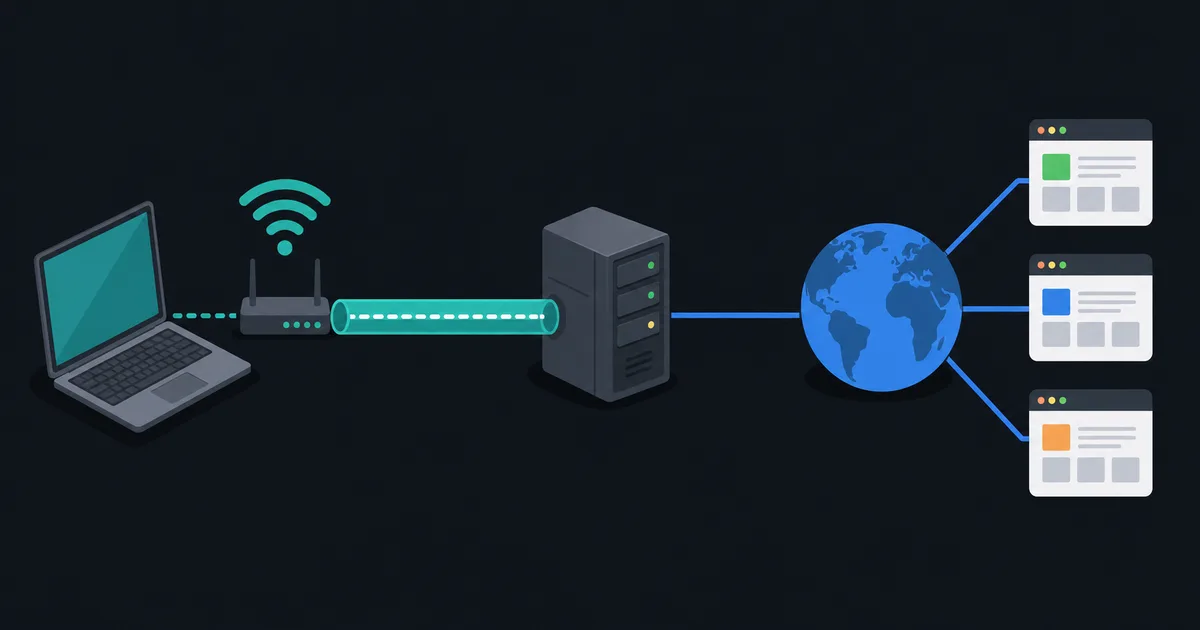
NAT can affect VPN setup, especially when a device needs to receive a connection from the internet. Many modern VPN clients are designed to work through ordinary outbound NAT. A remote-access VPN server, however, may need a reachable public address or carefully configured forwarding.
For someone using a VPN client, the more important question is usually which traffic enters the VPN tunnel and which DNS settings it uses. Our guide to how a VPN works covers that path without treating NAT as a privacy guarantee.
The takeaway
NAT is a practical translation mechanism that lets private networks reach public networks and helps many devices share IPv4 connectivity. It often sits beside a firewall, but the two are different tools. Understanding that difference makes port forwarding, CGNAT, and home-network troubleshooting much less mysterious.