The short answer
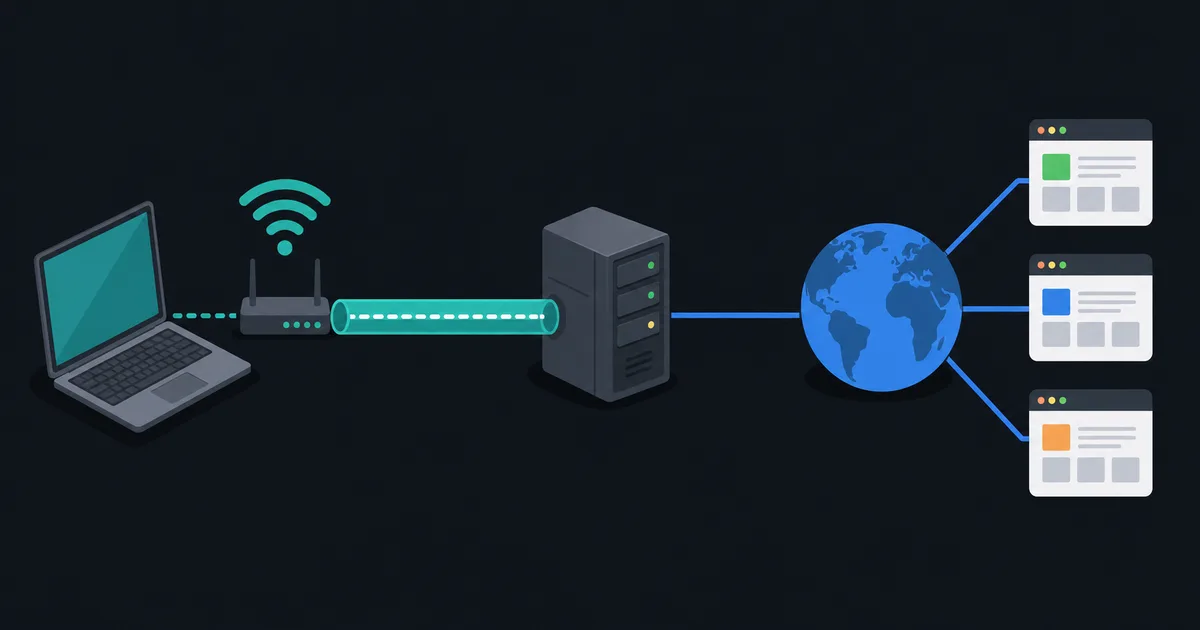
A VPN kill switch is a safety feature that blocks internet traffic when a VPN connection unexpectedly drops. Its purpose is to prevent traffic from silently continuing over the normal network path while you believe the VPN is still active.
Some apps call this a network lock, always-on VPN, or block connections without VPN. The label matters less than the behavior: when the protected tunnel is unavailable, the device should follow a restrictive network rule instead of falling back to an unprotected route.
Why a VPN connection can drop
VPN sessions can be interrupted by switching from Wi-Fi to mobile data, a brief router outage, a laptop waking from sleep, server maintenance, or a local network change. The app may reconnect quickly, but even a short gap can matter if a connection is allowed to leave outside the tunnel.
Without a kill switch, an operating system may use its ordinary default route as soon as the VPN route disappears. That can expose the device's normal public IP address to services contacted during the gap. How Routing Works on the Internet explains why route selection changes the path traffic takes.
How a kill switch works
Implementations vary, but a kill switch generally adds firewall or routing rules that allow traffic only when it uses the VPN interface or reaches the VPN server needed to establish the tunnel. If the tunnel disappears, those rules continue blocking other outbound traffic until the connection is restored or the user deliberately turns the feature off.
This differs from simply closing an application after it notices a failure. Network-level rules can cover more applications and can act before an app has time to react. The exact scope depends on the client, operating system, and configuration.
What it can help protect
A correctly configured kill switch can reduce accidental exposure of:
- New web, app, and background connections made during a VPN outage.
- DNS requests that would otherwise use the normal network resolver.
- IPv4 or IPv6 traffic that would otherwise leave through a non-VPN interface.
It is especially useful on untrusted networks or when a workflow requires traffic to remain inside a VPN. It is not a guarantee that every device, app, or configuration has identical coverage, so verify the behavior you need.
What a kill switch does not do
A kill switch is not antivirus software, account protection, or a replacement for HTTPS. It cannot remove data a website already received, protect an unsafe service end to end, or stop malware that already has access to the device.
It also may not cover every situation. For example, a feature may protect only the VPN app's tunnel, allow local-network traffic by design, or behave differently before the first connection than after an established session. Review the client's settings and documentation before relying on it for a sensitive use case.
Kill switch versus split tunneling
Split tunneling intentionally sends selected traffic outside the VPN. A kill switch tries to stop unintentional fallback outside the VPN. These features can coexist, but they need careful configuration: traffic you explicitly exclude from the tunnel may still be allowed when the tunnel fails, depending on the product's policy.
Read Split Tunneling Explained before combining the two. Decide which applications or destinations may use the ordinary connection and which must never do so.
How to test it safely
Test on a connection you control before relying on the feature:
- Connect to the VPN and confirm normal access works.
- Enable the kill switch or network-lock setting and note any local-network exceptions.
- Temporarily disconnect the VPN using the app's controls or briefly disable the relevant network interface.
- Confirm ordinary internet access is blocked, then reconnect and confirm it resumes as expected.
Avoid testing by changing router or firewall settings you do not understand. If a device becomes unreachable, restore the known working network connection first.
The takeaway
A VPN kill switch is a fail-closed traffic-control feature. It can reduce the chance that traffic leaks outside a VPN after an unexpected disconnect, but its protection depends on the operating system, app, settings, and how you use split tunneling. Enable it when appropriate and test the exact behavior on your device.